
Bring your Agent into the conversation.
Choose a channel. Follow the steps. Start sharing.
1.Open the connection
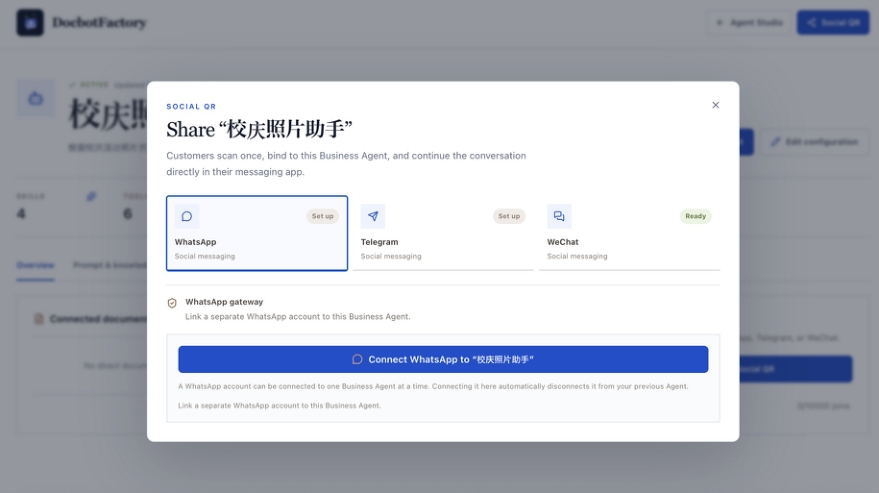
Open Social QR for your Agent, select WhatsApp, and click Connect WhatsApp. Check that the window names the Agent you want to share.
 Click to enlarge
2.Link your device
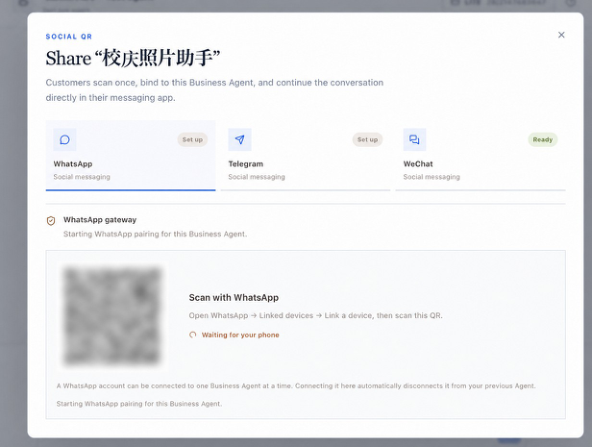
On your phone, open WhatsApp → Linked devices → Link a device. Scan the administrator pairing QR and wait for Ready. Connecting this number to a new Agent disconnects the previous one.
 Click to enlarge
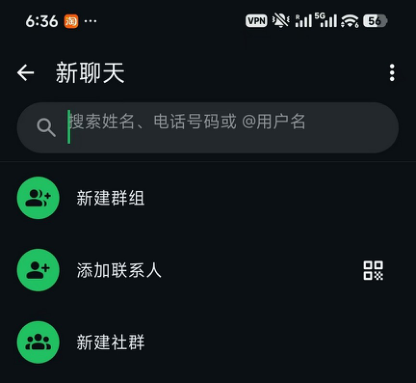
Original scanner reference
This image shows the Add contact scanner. Use Linked devices for device pairing.
3.Share with customers
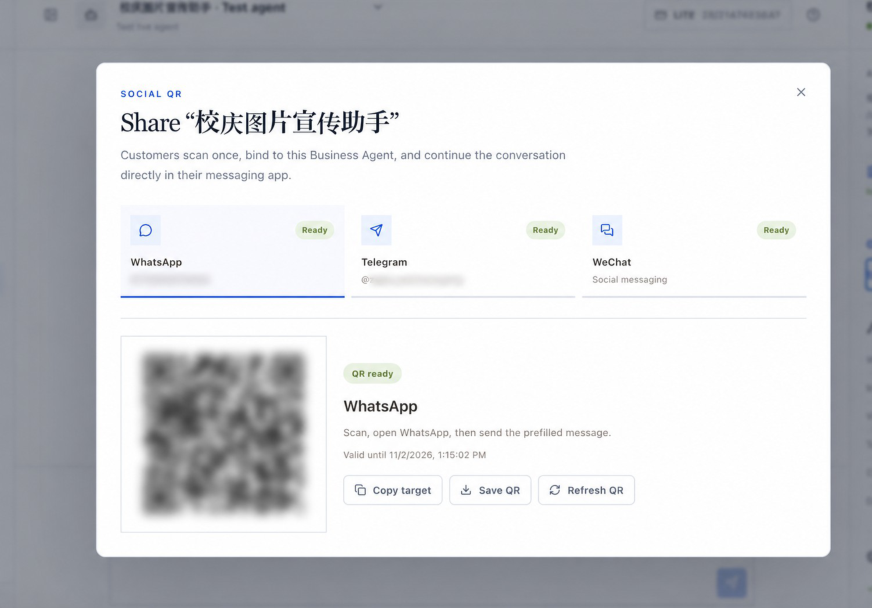
Use Save QR or Copy target to share the customer entry point. Customers scan with their phone camera, open WhatsApp, and send the prefilled message before asking questions.
 Click to enlarge
Once connected, try a message from another phone.
Use the codes generated for your account. Sensitive details in examples are obscured; refresh expired customer QR codes.